The same product, arranged for a smaller screen
Browser access is a practical advantage when moving between a computer and a compatible phone or tablet: the visitor can inspect categories without finding a separate store listing. On a narrow display, first check navigation, the game’s information control and whether a live stream leaves enough room for the betting panel. A home-screen shortcut is an access convenience, not evidence of a separately verified native Android or iOS application. Current reference: explore Dukat.bet.
Browser access and an installed shortcut are different
The reviewed Dukat mobile page includes a Google Chrome installation walkthrough. That is evidence of an installation route described by the operator, not proof of a native App Store or Google Play release. A home-screen icon can launch a web application or shortcut. The current device-specific instructions determine what is offered to your device; we do not invent download buttons or link to unofficial application files.
Browser access is useful because the account and catalogue can be reached without assuming a separate software package. Start from the official address and identify the menu, login and help controls. A mobile layout may collapse navigation that is visible on desktop. This affects where controls sit, not the mathematical rules of a game. Compatibility can still vary by title, browser and device. Current reference: view the current offer.
Check the game controls before a session
On a small screen, confirm the total stake, sound control, rules and exit before starting a round. Some titles use portrait layouts while others make better use of landscape space. Rotating the device does not change an accepted wager. If a control is partly obscured, do not guess its value from the previous screen; restore a readable layout first.
Live tables introduce a continuing betting window. A delayed video stream does not extend the server's deadline, so a visible scene and an available bet are not always simultaneous. If the connection drops, consult the recorded round after reconnecting rather than infer its result from the last animation. Instant games can be equally sensitive to confusion between a local tap and an accepted action.
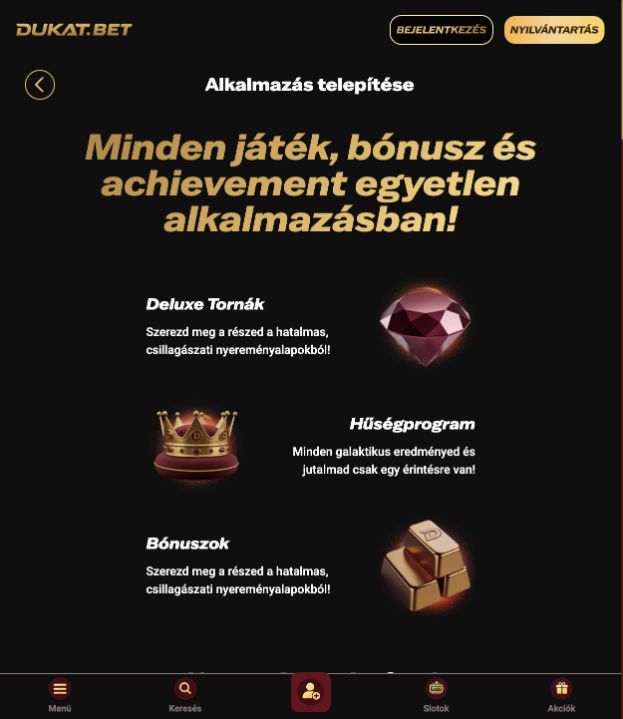
This illustrates browser access and installation guidance. A home-screen shortcut does not establish that a separately verified native app exists in an app store.
Use the same account records across devices
Moving from computer to phone should not be treated as a new promotion or a new identity. Read the active bonus and history in the same account. A balance difference may be a refresh or currency-display issue, but it needs checking rather than guessing. Payments still require their own amount, destination and ownership checks on mobile.
Keep the operating system and browser updated and end sessions on shared devices. Follow the official installation prompt only when it is clearly connected to Dukat's site. A review cannot guarantee support for every device version, and a generic “works on all devices” claim would be too broad. The practical benefit is access on compatible phones, tablets and computers, with game-specific limitations stated honestly. Current reference: check the operator’s rules.
Check a session on the actual device
A responsive page should preserve access to navigation, balance controls and game help when the screen narrows. In the observed mobile interface, product categories move into compact navigation and game tiles reflow into fewer columns. This is a layout change, not evidence that the underlying rules or payout settings have changed. A screenshot from a phone-sized viewport therefore illustrates navigation rather than a separate mobile bonus guarantee.
Before a longer session, identify how to return from a game to the account, where to find the rules and how to end the session. Browser zoom, text size and landscape orientation can change what fits on screen. An installed web shortcut may still depend on a network connection and browser capabilities. If the operator changes its installation instructions, follow the current on-screen process rather than an old Android APK or a third-party download link. Current reference: open the game lobby.